
Dreami – Enriched Texting and Calling vv0.9.5.3
Dreami adds a rich, interactive AI-powered texting and voice calling app to your Zoi’s phone. It requires an AI provider to write your Zois’ replies, and you can bring your own provider.
Features
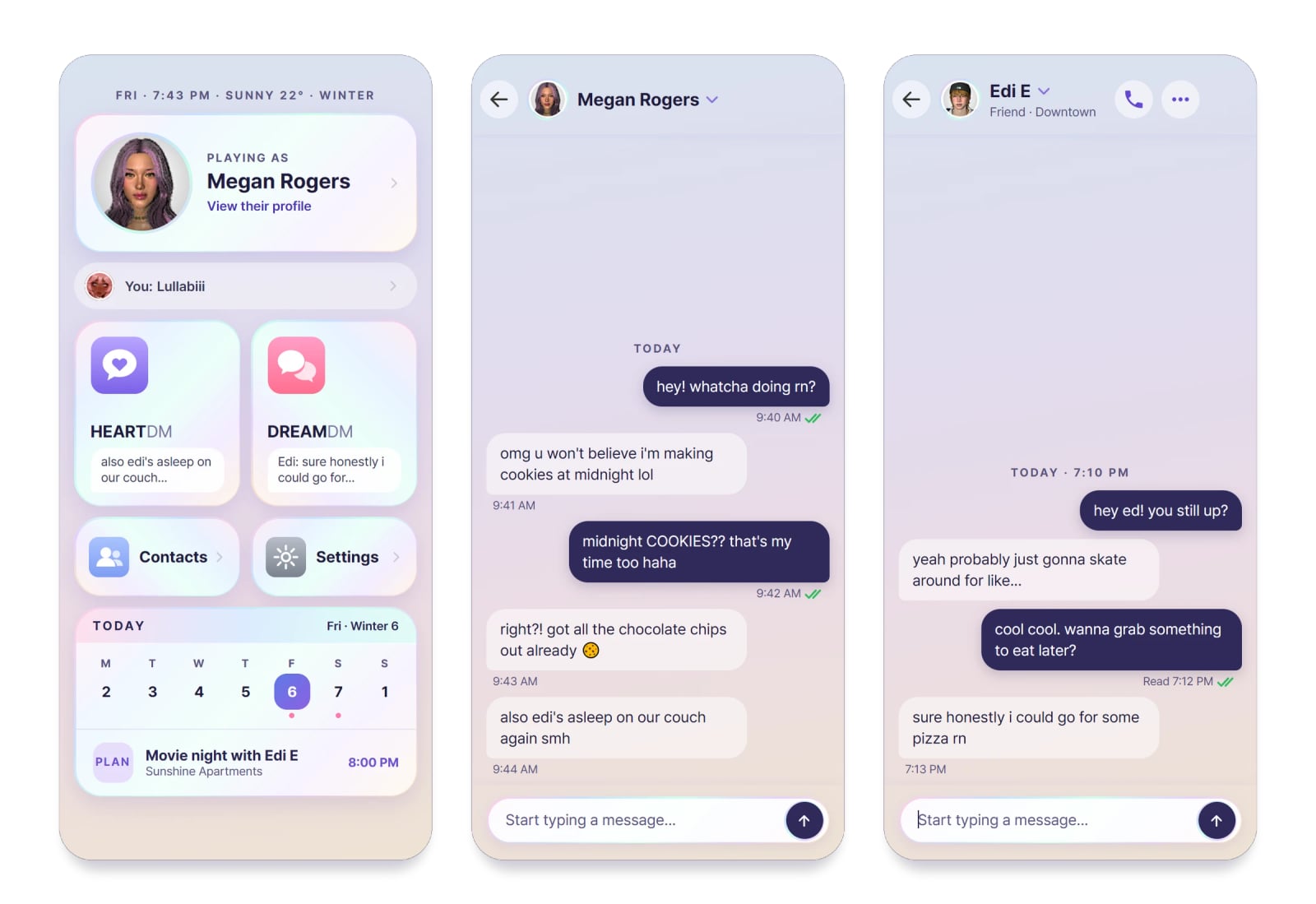
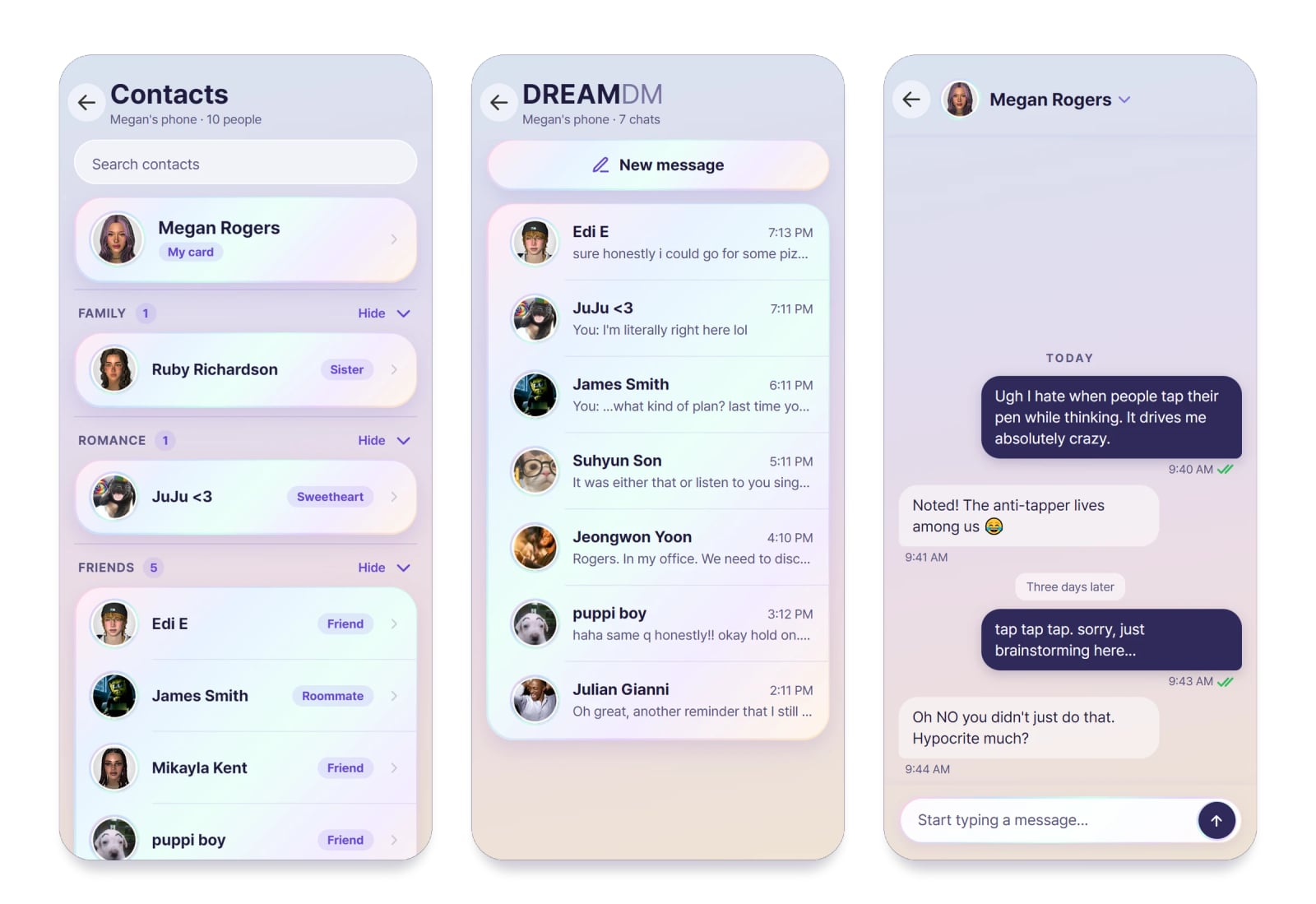
- HEARTDM: text the Zoi you’re playing. Each Zoi has their own chat, and swapping Zois swaps phones.
- DREAMDM: your Zoi texts friends, family, partners and rivals. They get wrong numbers, tease each other and pass on news from the grapevine.
- They sound like themselves: 52 traits in four flavors each, and two or three texting habits per Zoi, like all lowercase, one-word replies or a few short texts in a row. Two Zois with the same trait still don’t text alike.
- Real texting: read receipts, tapbacks, quoted replies and typing dots that come and go. A Zoi might send a few texts in a row, leave you on read, or answer later. Now and then a thought cloud shows what they didn’t say out loud.
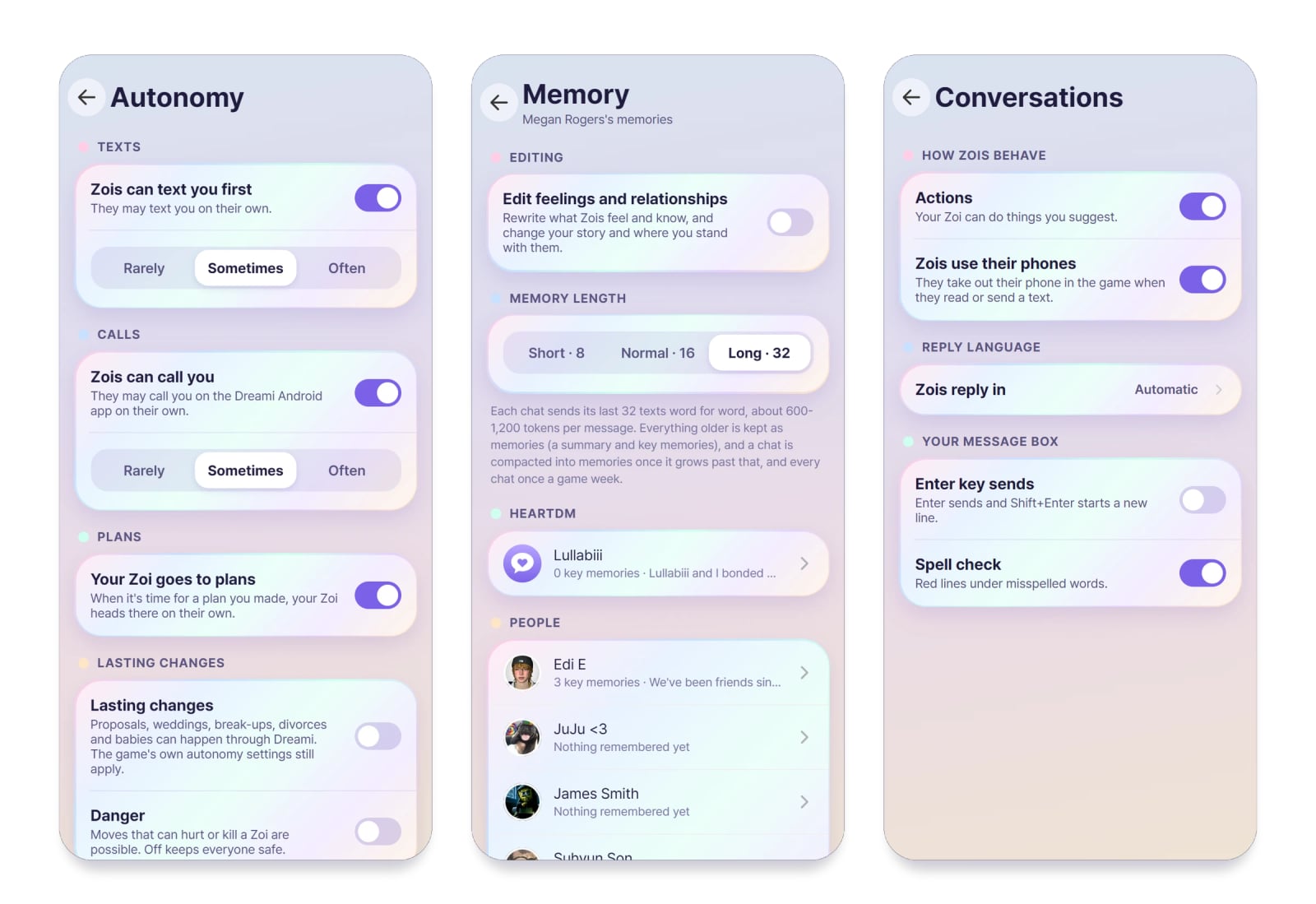
- Zois text and call first: friends check in, pass on news and react to big moments, always for a real reason. Set it to Rarely, Sometimes or Often, or switch it off. Texts they start don’t count against your Dreami AI messages, and there’s no daily cap on them.
- Plans become real meet-ups: agree on a time and a place in a text, “next Friday at 11” works, and it goes on the game’s schedule for everyone going. Zois drive, ride or walk there, greet each other, and the plan plays out as a game event: a date, a party, a girls night, a family dinner, a study group or a confrontation. A planned fight plays as a fight, and bystanders react.
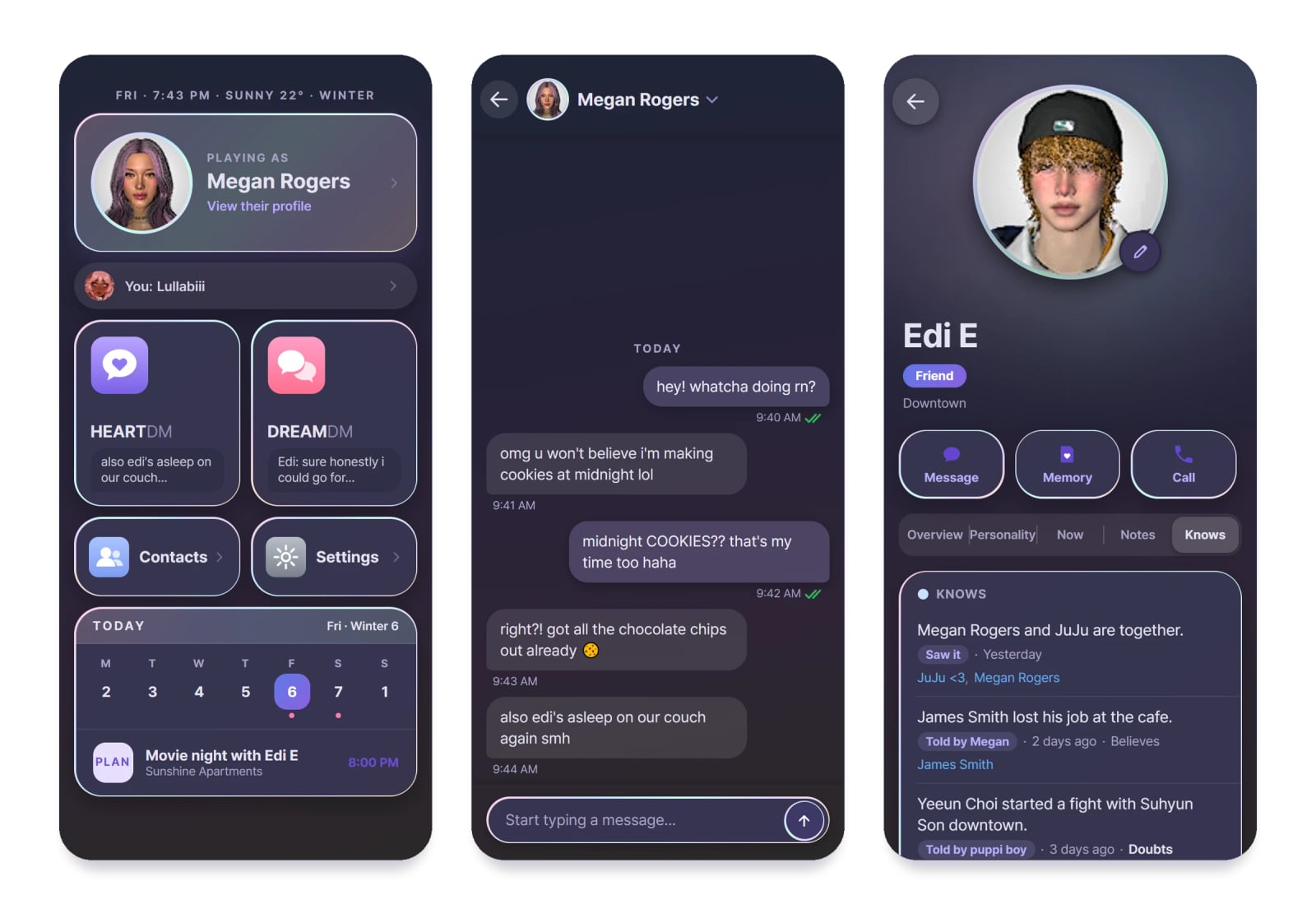
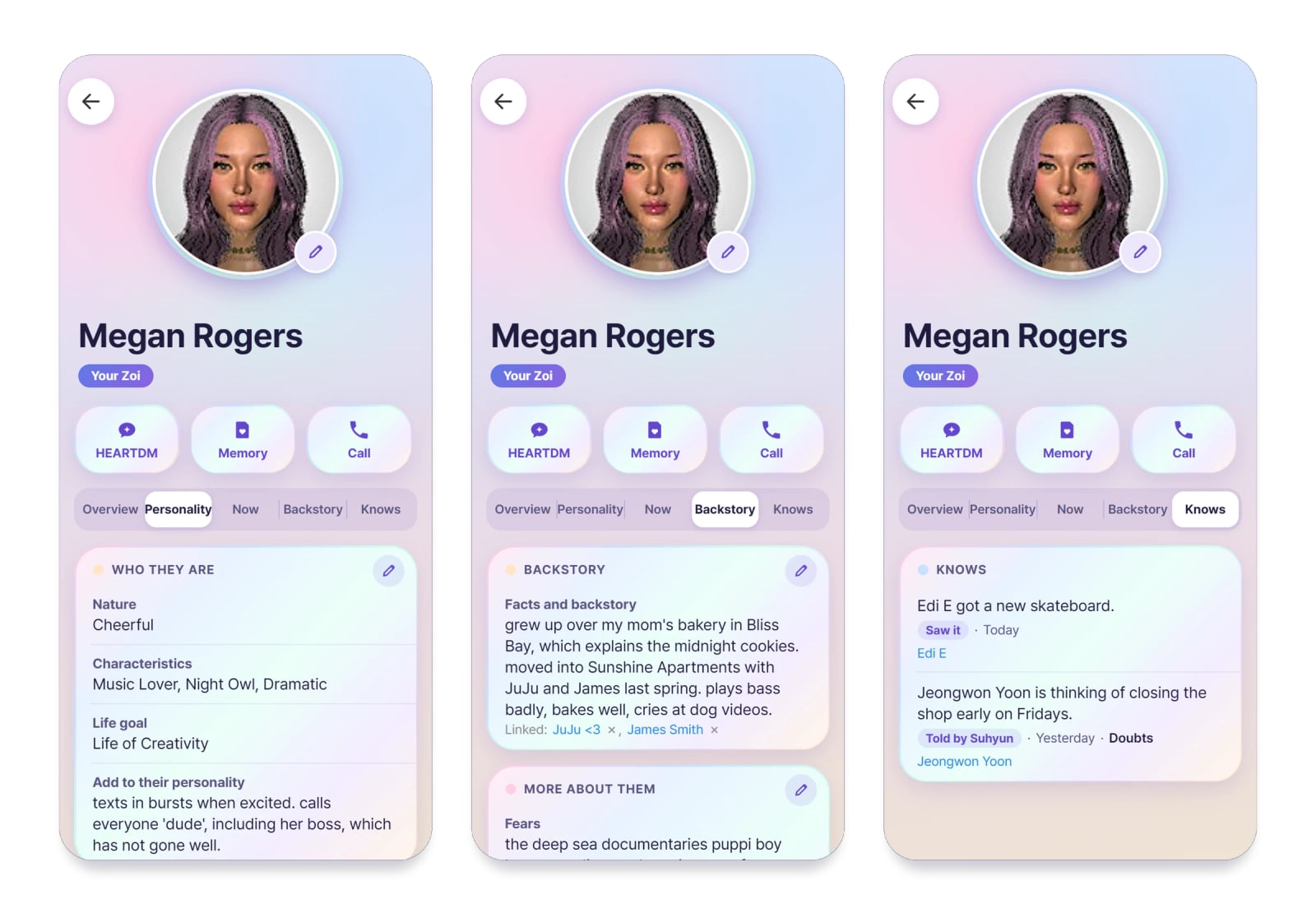
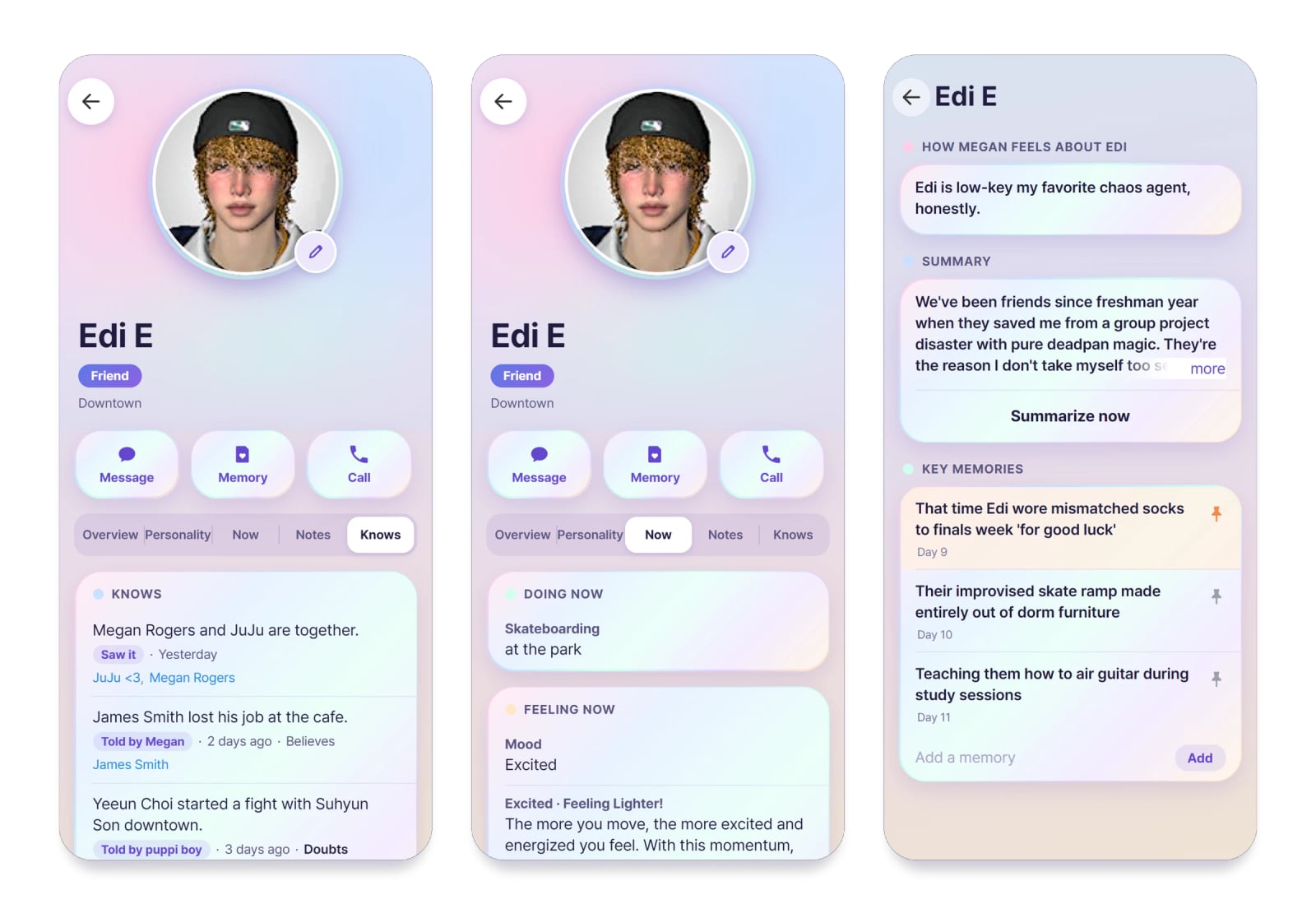
- News and gossip: a Zoi only knows what they took part in, saw or were told. News travels in person and by text, and can be believed or doubted. The Knows tab on every card shows what they know and how they learned it, and you can fix it.
- Zois act on what they know: have it out, look for proof, come clean, threaten to tell, or let it go. Accused of something, they may deny it, lie, own it, or bring up what you did.
- Memory: Zois remember what happened and write down how they feel about you. Promises, jokes and fights carry over. Read, edit, pin or clear what a Zoi remembers; memory is set to Long from the start.
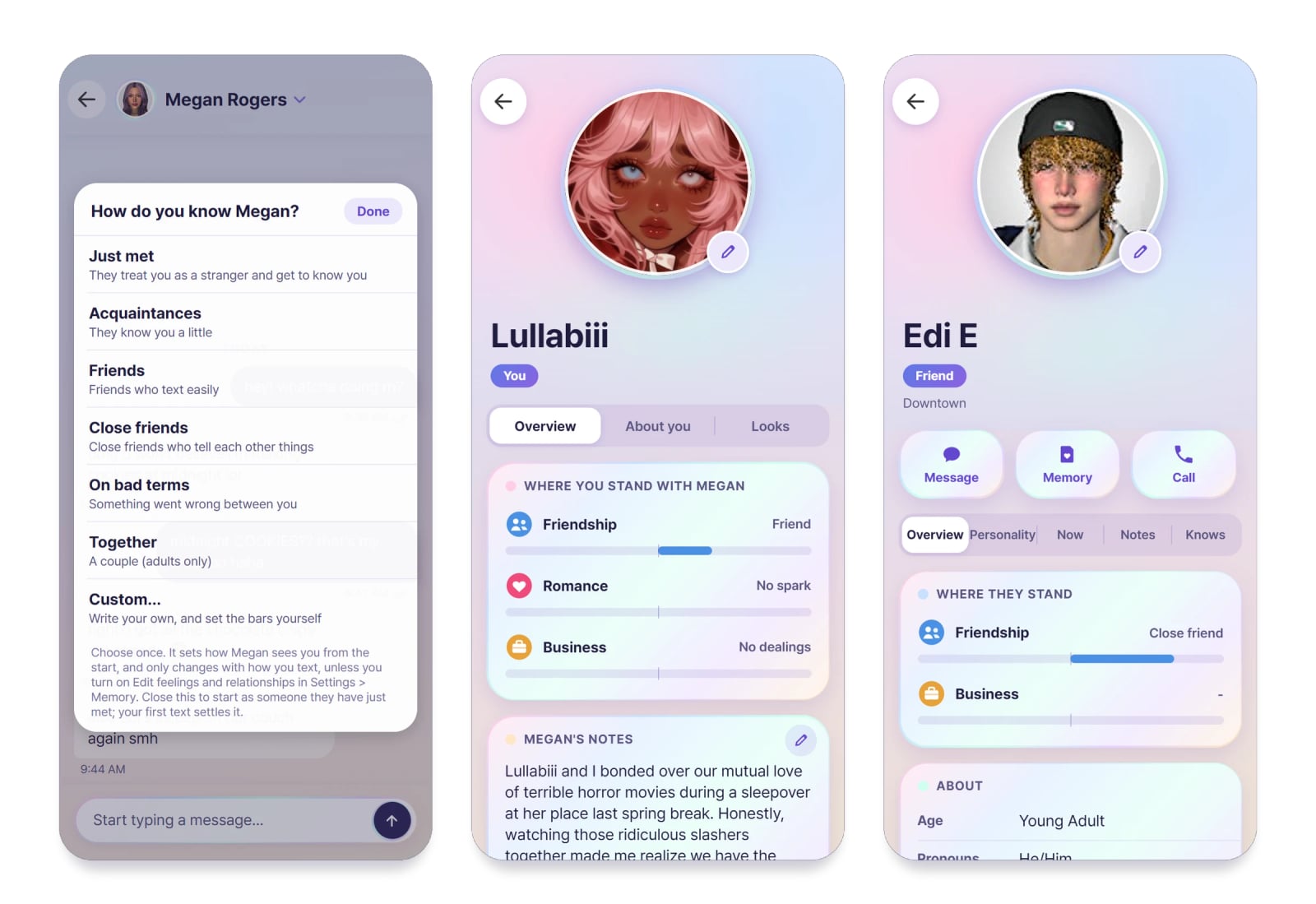
- Where you stand: pick how your Zoi knows you (just met, friends, together and more) or write your own story, and watch Friendship, Romance and Business change as you talk. Kind words, fights, apologies and being left on read all count.
- Blocking works both ways: block and unblock Zois from their card or the three-dot menu in a chat. Zois can block you too if you threaten them, are cruel, or keep going after they ask you to stop. Ask a friend by text to put in a good word for you.
- They change with what happens to them: a promotion, a wedding, a breakup or a new life stage leaves its mark. For a while a Zoi might text quieter, prouder or bitter, then settle back.
- Zois act on what you say: ask them to eat, sleep, shower, dance or hug someone, in any language, and if they agree they really do it in the game.
- Moods in the game: what you say can give a Zoi a mood. Hover it in the game to see who caused it, in the Zoi’s own words. The Now tab on their card shows how they feel and why.
- Contacts: everyone saved in your Zoi’s phone, grouped by family, romance, friends and more. To add someone, have your Zoi exchange contact info with them in the game.
- Make each contact yours: give a Zoi a nickname (how your Zoi has them saved), your own picture for their icon, notes, and extra personality or backstory.
- Tap a text: tapbacks, reply, remember, copy, edit your own texts, and Try again on a Zoi’s newest reply.
- Phone animations: Zois take out their phone when they read, text and call, even if they have to put down what they were doing. Cancel it from their queue if you need them to keep going.
- Portraits: the app shows the Zois from your own save. A Zoi with no portrait gets a little pastel shape instead.
- Light and Dark: Settings > Appearance switches the whole app. The Android app keeps the same choice.
- Android app (optional): the same chats on your real phone, with notifications, plus voice calls: call a Zoi or let them call you, each in their own voice, with speech that follows their mood and plays a sentence at a time as they speak. With the game closed you can still read your chats, and texts you send go out when it opens. It links to your game with a short code.
- Your data: back up, restore and clear chats and memories, and switch off the features you don’t want. Your backups and AI keys survive updates.
Specifications
- 52 traits in four flavors each.
- Two or three texting habits per Zoi.
Requirements
- inZOI
- An AI text provider: your own key with OpenAI, Anthropic, Google Gemini, OpenRouter, DeepSeek, Groq, Mistral, xAI or Together, a program on your PC such as Ollama, LM Studio or KoboldCpp, or Dreami AI.
- An internet connection, unless the AI runs on your own PC.
- Optional: an Android phone for the companion app and voice calls.
Installation
- Unzip the download and put the
DayDream_763BB5E0folder in your inZOI InGame mods folder:C:UsersYOURNAMEDocumentsinZOIModsInGame
If the InGame folder doesn’t exist, create it and name it exactlyInGame. TheDayDream_763BB5E0folder must sit directly inside it. - Start the game, make sure you have mods enabled and that Dreami is both validated and enabled.
- Updating: copy the new
DayDream_763BB5E0folder over the old one and choose to replace the files. Your backups and an encrypted copy of your AI keys are kept separately in:ModsInGameDreami_Backups
How to use
First time
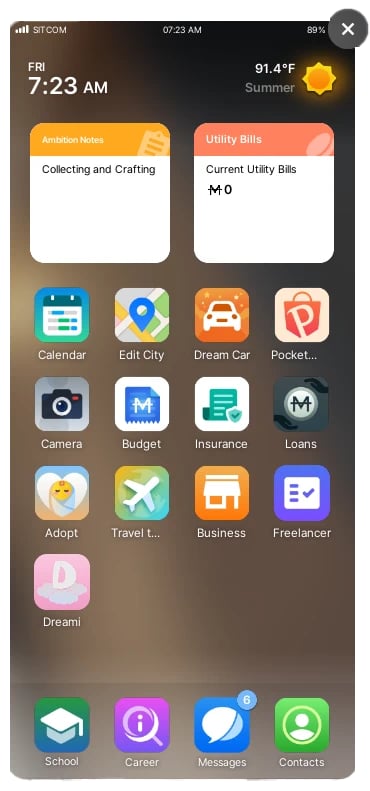
- Open your Zoi’s phone. Dreami is on the home screen after your last app.
- Tap it. You land on the hub: HEARTDM, DREAMDM, Contacts, Settings and your own profile.
- A guided tour walks you through the screens the first time. You can replay it any time from Settings > Replay tutorial.
- Open You and set your name. Age, pronouns and the rest are optional, and your Zois read them to get to know you.
- Until your name is set and an AI is chosen, HEARTDM, DREAMDM and Contacts are faded. Tap one and Dreami tells you what’s missing.
Text your Zoi (HEARTDM)
- Pick a standard starting point or create a custom one. Your Zoi remembers it for the rest of your relationship.
- Type in the box and press Enter (Shift+Enter makes a new line). Under your text you see sent, delivered, then read.
- A Zoi doesn’t always answer straight away. They might reply, leave you on read, or be asleep or busy.
- Tap any text for its menu: tapback, reply, remember (pins it as a memory), copy, and edit on your own texts.
- Tap Try again on a Zoi’s newest reply if you want another answer.
Text other Zois (DREAMDM)
- DREAMDM lists the contacts in the phone of the Zoi you’re playing. Pick anyone on the list and text as your Zoi. Not in your Zoi’s phone? Have your Zoi exchange contact info with them in the game, and they’ll show up.
- Pick a conversation or start a new one, then type as your Zoi. The other Zoi answers as themselves.
- What you say can change how they feel about each other.
Make a contact yours
- Open a Zoi’s card from Contacts. Set a Nickname to change how your Zoi has them saved, and add notes, personality or backstory.
- To give them your own picture, open the Photo Studio, pick an image and copy the code. Then tap their photo, or the little pencil on it, and choose Paste Photo Code. Your own You card works the same way.
Zois text first
- In Settings > Autonomy, turn it on or off and choose Rarely, Sometimes or Often.
Your data
- Settings > Backups backs up and restores chats and memories, and Settings > Clear data lets you clear any of it. Each one asks first.
Known issues and troubleshooting
Please include your log with your bug report. How to find Dreami’s Log.